LaunchBoard Creator
A downloadable Creator Toolkit
LaunchBoard Creator
Creator Mission Control for Ideas, Products, Content, and Launches
LaunchBoard Creator is a premium desktop workflow system built for creators who have too many ideas, too many projects, and not enough structure to finish them.
It is not another corporate task manager.
LaunchBoard is designed for creators, musicians, YouTubers, Etsy sellers, indie developers, digital product builders, and creative entrepreneurs who need one central place to plan, build, launch, market, and track creative work.
What LaunchBoard Does
LaunchBoard helps you turn scattered ideas into structured creator workflows.
You can use it to:
- capture product ideas
- organize launches
- Planning videos
- manage Etsy and Gumroad products
- track music releases
- run creator focus sessions
- schedule launch timelines
- store project notes
- monitor workflow health
- export reports
- prepare marketplace assets
- Stay focused on your current mission
Built for Creator Momentum
Most productivity apps feel like office software.
LaunchBoard feels like a creator command center.
It is built around:
- momentum
- launches
- focus
- creative direction
- daily progress
- product completion
- release planning
The goal is simple:
help creators finish what they start.
Feature Highlights
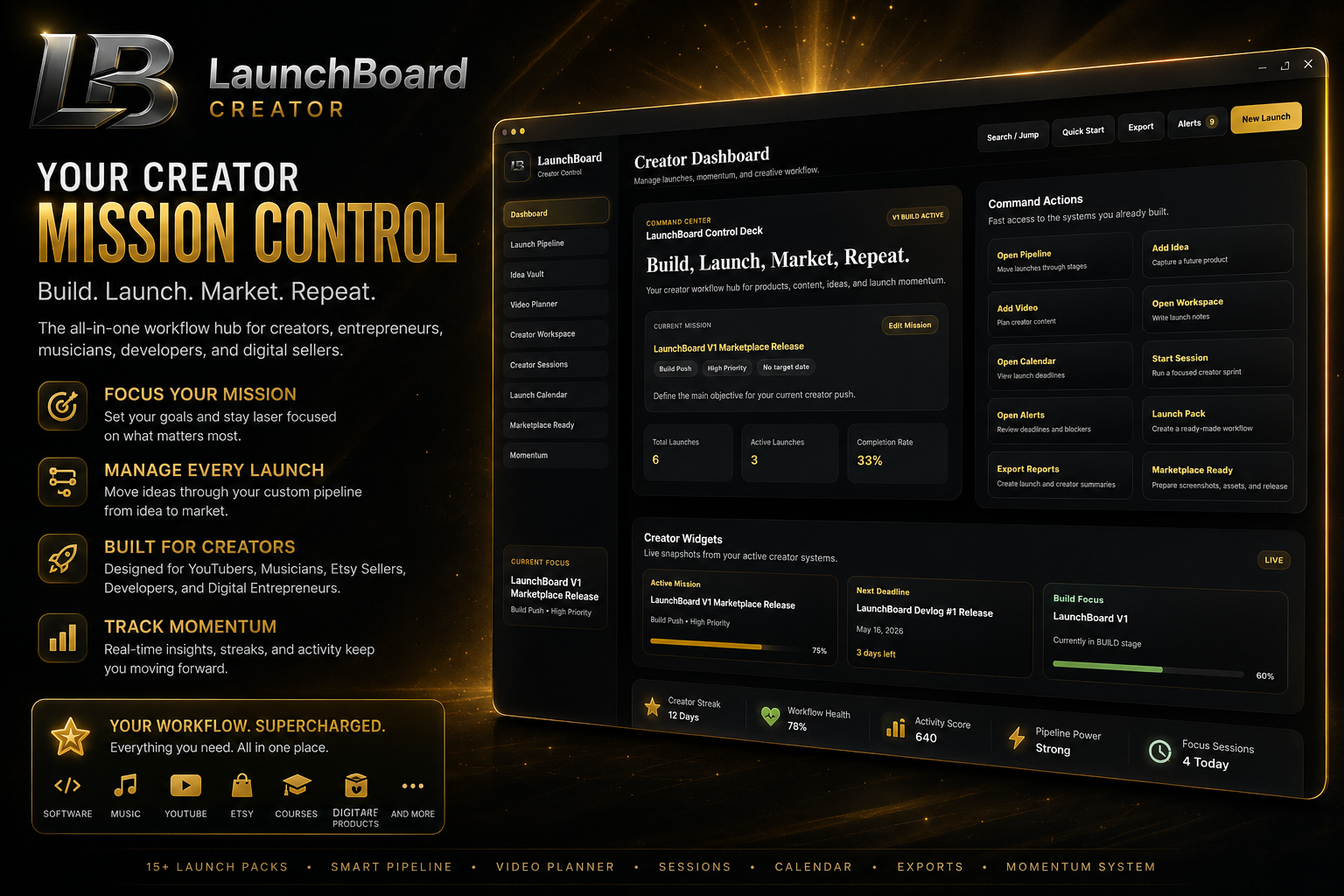
Creator Dashboard
Your main command center.
See your current mission, workflow health, widgets, alerts, activity, upcoming deadlines, sessions, and launch progress in one place.
Mission Control
Set your active creator mission.
Examples:
- Etsy Shop Growth Push
- Music Release Campaign
- Software Product Launch
- YouTube Channel Sprint
- Course Launch
- Steam Game Demo Push
Mission Control keeps your whole app focused on what matters right now.
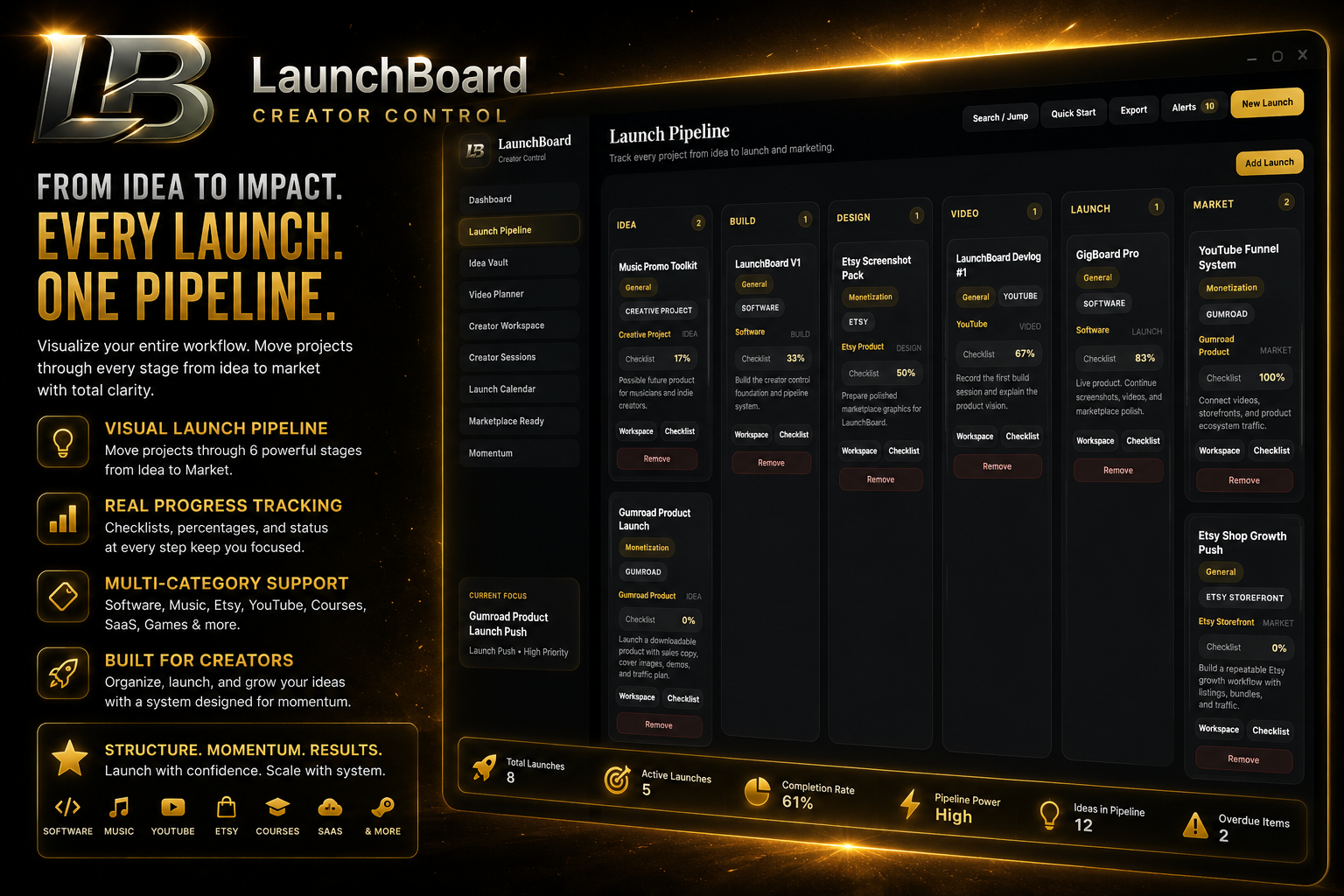
Launch Pipeline
Manage projects through clear creator stages:
- Idea
- Build
- Design
- Video
- Launch
- Market
Drag and drop projects between stages and LaunchBoard updates the workflow automatically.
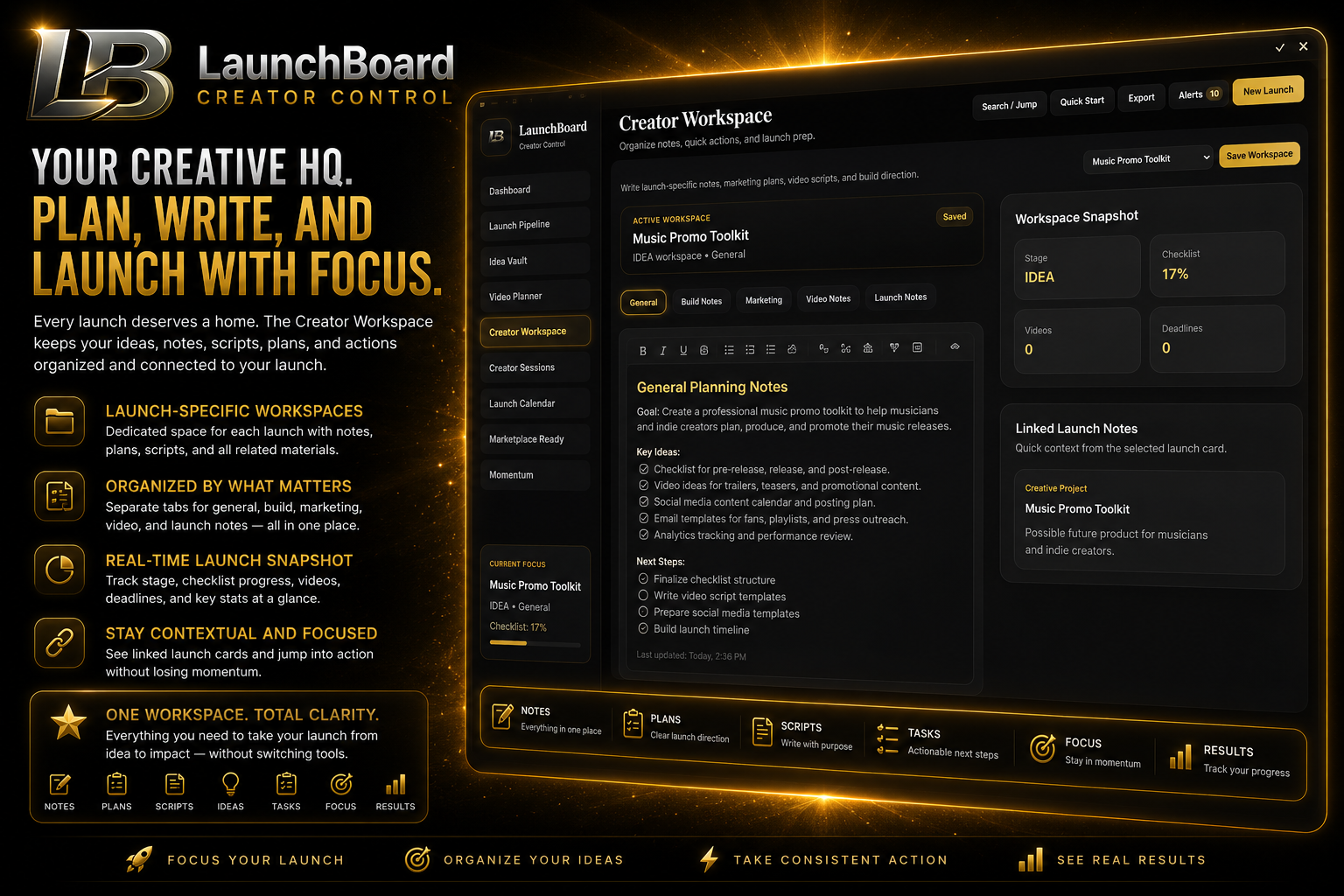
Creator Workspace
Every launch has its own workspace.
Store notes by category:
- General
- Build
- Marketing
- Video
- Launch
No more scattered text files, random notes, or forgotten plans.
Idea Vault
Capture future ideas before they disappear.
Idea Vault includes expanded creator categories and smart tags for:
- software
- music
- Etsy products
- YouTube content
- AI tools
- courses
- branding
- game dev
- digital downloads
- creative projects
Ideas can be promoted directly into the Launch Pipeline.
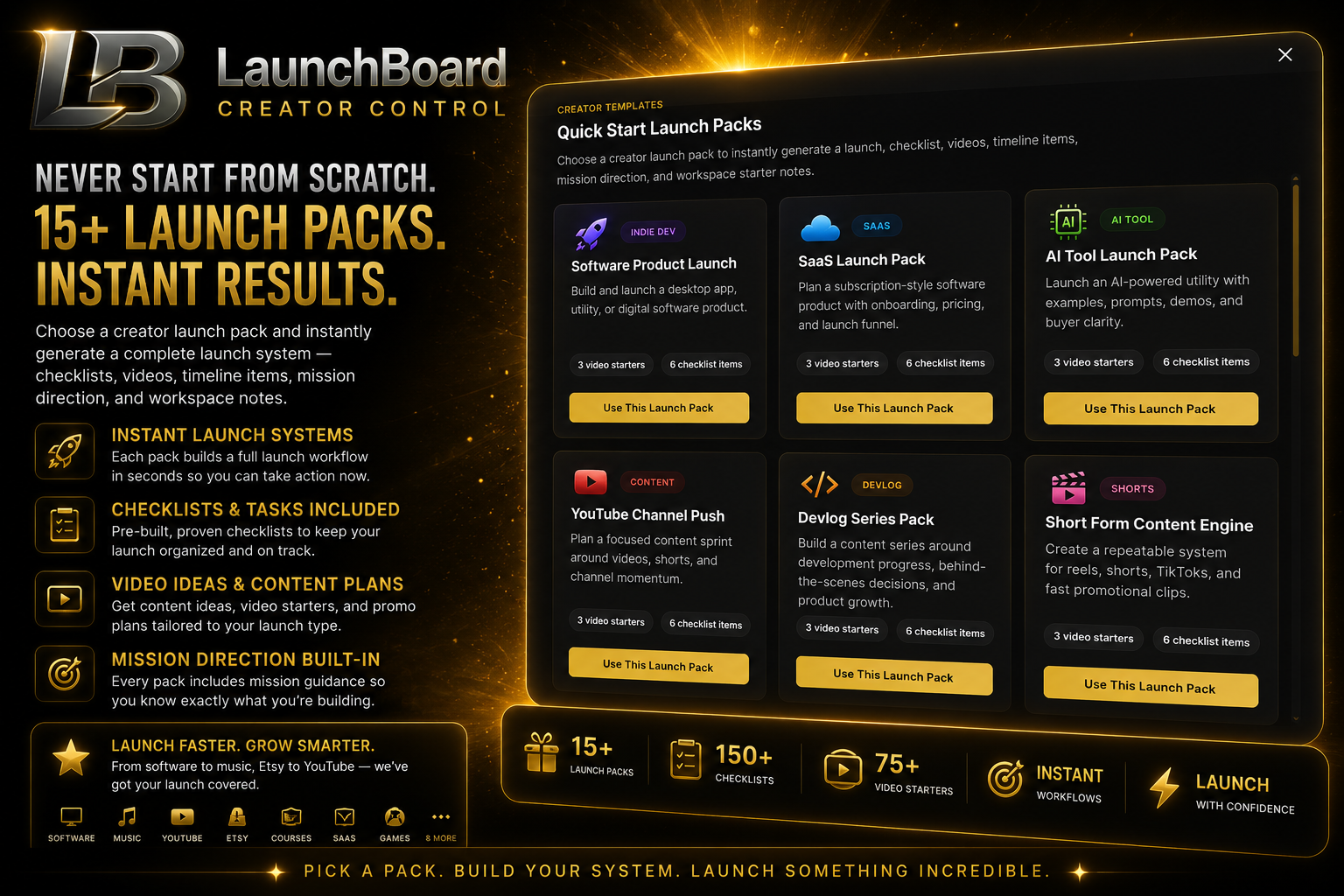
Quick Start Launch Packs
LaunchBoard includes 15 creator launch packs.
Each pack creates a ready-made workflow with:
- launch card
- checklist
- workspace notes
- video ideas
- timeline item
- mission direction
Included packs:
- Software Product Launch
- SaaS Launch Pack
- AI Tool Launch Pack
- YouTube Channel Push
- Devlog Series Pack
- Short Form Content Engine
- Music Release Pack
- EP / Album Rollout
- Band Promo System
- Etsy Digital Product
- Gumroad Product Launch
- Course Creator Pack
- Steam Indie Game Launch
- Creator Brand Building
- Etsy Shop Growth System
This means you never start from a blank screen.
Video Planner
Plan content around your launches.
Use it for:
- YouTube videos
- shorts
- devlogs
- music teasers
- product demos
- launch trailers
- Etsy promo clips
Connect videos to projects so your content supports your actual launch strategy.
Launch Calendar
Track dates, deadlines, milestones, launches, and content schedules.
The calendar tracks:
- total scheduled items
- upcoming deadlines
- This week’s deadlines
- overdue items
It also refreshes automatically while the app is open.
Notification Center
LaunchBoard alerts you when something needs attention.
Examples:
- launch is overdue
- a checklist is incomplete
- a mission has no target date
- The video is not linked
- no creator session has been completed today
- A deadline is coming up
Workflow Intelligence
LaunchBoard analyzes your projects and suggests next moves.
Examples:
- “This launch has no videos attached.”
- “This project has no timeline.”
- “You have overdue items.”
- “No creator session completed today.”
- “This idea may be ready to promote.”
It helps you see what needs attention before your workflow falls apart.
Creator Sessions
Run focused work sessions inside LaunchBoard.
Use sessions for:
- build sprints
- marketing pushes
- video planning
- songwriting sessions
- Etsy listing work
- product polish
- release preparation
Sessions help track focus time and momentum.
Activity Feed
Track your creator history.
The activity feeding records:
- launches created
- sessions completed
- reports exported
- checklist items finished
- ideas promoted
- workspace updates
- achievements unlocked
This gives you a visible record of progress.
Export / Reporting
Export clean reports from your workflow.
Exports available include:
- Launch Report
- Weekly Creator Summary
- Activity Log
- Workspace Notes
Useful for planning, reviewing progress, saving records, or sharing work summaries.
Marketplace Readiness
LaunchBoard includes a release-prep system for selling your own products.
Track:
- screenshots
- hero images
- thumbnails
- demo videos
- Short Promo Videos
- sales copy
- user guide
- installer testing
- final price
- launch assets
Perfect for Gumroad, Etsy, itch.io, or direct product sales.
Momentum Layer
LaunchBoard includes momentum features that make progress feel rewarding.
Includes:
- creator streaks
- workflow health
- activity score
- pipeline power
- achievement celebrations
- milestone unlocks
Because motivation matters.
Why LaunchBoard Is Different
Most tools help you manage tasks.
LaunchBoard helps you manage creative momentum.
It combines:
- Notion-style planning
- Trello-style pipeline movement
- creator templates
- focus sessions
- launch strategy
- reporting
- workflow intelligence
- emotional progress tracking
into one creator-focused desktop app.
Who Should Use LaunchBoard?
LaunchBoard is ideal for:
Etsy Sellers
Plan listings, product bundles, promo videos, seasonal launches, and shop growth.
Musicians
Plan singles, albums, lyric videos, promo campaigns, and release content.
YouTubers
Manage video ideas, upload plans, shorts, devlogs, and channel pushes.
Indie Developers
Track software builds, launch plans, demos, Gumroad pages, and devlogs.
Digital Product Sellers
Organize templates, tools, courses, downloads, and marketing campaigns.
Game Developers
Plan Steam launches, demo releases, trailers, and wishlist campaigns.
Creative Entrepreneurs
Centralize ideas, projects, launches, sessions, and content planning.
Stop Starting From Scratch
LaunchBoard gives you structure from the moment you open it.
Instead of asking:
“What should I work on?”
LaunchBoard helps you see:
- Your current mission
- your next deadline
- your active launch
- Your open videos
- your missing checklist items
- Your best next move
Built for Solo Creators
LaunchBoard is especially useful if you are:
- building alone
- juggling multiple projects
- creating products after work
- trying to stay consistent
- launching digital products
- Managing content and marketing yourself
It gives you structure without making you feel buried in corporate software.
Local Desktop Software
LaunchBoard runs as a desktop app.
Your workflow stays local.
No complicated setup. No bloated team system. No giant workspace configuration.
Just open the app and start building.
What You Get
LaunchBoard includes:
- Creator Dashboard
- Mission Control
- Launch Pipeline
- Idea Vault
- Smart Tags
- Creator Workspace
- Video Planner
- Launch Calendar
- Notification Center
- Workflow Intelligence
- Creator Sessions
- Activity Feed
- Export / Reporting
- Marketplace Readiness
- WOW Momentum Layer
- 15 Quick Start Launch Packs
- Local saving system
- Onboarding guide
LaunchBoard Is For Builders
If you have ideas sitting everywhere…
If you start projects but struggle to finish…
If you are building products, videos, music, templates, apps, courses, or Etsy listings…
LaunchBoard gives you one place to run the whole creator operation.
Build it.
Track it.
Launch it.
Market it.
Keep moving.
Purchase
In order to download this Creator Toolkit you must purchase it at or above the minimum price of $49 USD. You will get access to the following files:
Leave a comment
Log in with itch.io to leave a comment.